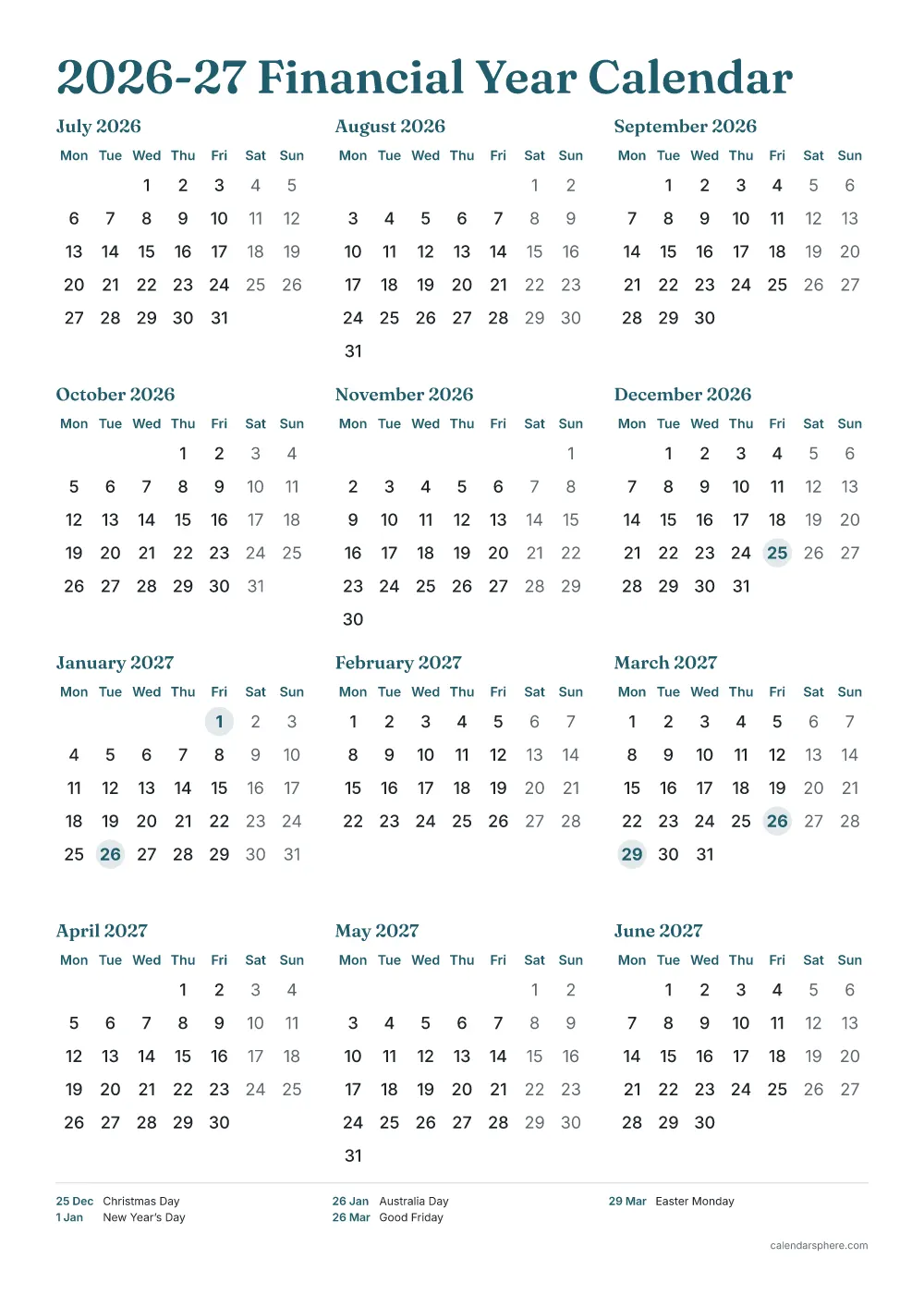
Financial year calendar 2026-27 Australia at a glance
- Runs:
- Wednesday 1 July 2026 to Wednesday 30 June 2027
- Working days:
- 256 (261 weekdays less 5 nationwide public holidays)
- Quarters:
- Q1: July to September 2026 · Q2: October to December 2026 · Q3: January to March 2027 · Q4: April to June 2027
- Tax return due (if you lodge it yourself):
- 31 October 2027
Australia public holidays in the 2026-27 financial year
5 public holidays observed nationwide between 1 July 2026 and 30 June 2027.
| Date | Day | Holiday |
|---|---|---|
| 25 December 2026 | Friday | Christmas Day |
| 1 January 2027 | Friday | New Year’s Day |
| 26 January 2027 | Tuesday | Australia Day |
| 26 March 2027 | Friday | Good Friday |
| 29 March 2027 | Monday | Easter Monday |
The first is Christmas Day on 25 December 2026; the last is Easter Monday on 29 March 2027.
How to print your 2026-27 financial year calendar
- Choose your optionsThe preview shows exactly what will print.
- Download the PDFIt is made on your device in a few seconds.
- Use matching paperPrint on Letter (8.5 × 11 in) or A4 (210 × 297 mm) paper, the size you chose.
- Print at actual sizeSet the scale to “Actual size” or 100%, not “Fit to page”.
Every page keeps a 0.5 in (12.7 mm) margin on all sides, which home and office printers can reach, so nothing is cut off.
Sources
- Australian Taxation Office: lodge your tax return online with myTax — the 31 October due date
- australia.gov.au: public holidays
- date-holidays — open-source holiday data used for every country
Other financial and tax years
- India financial year 2026-27April to March
- UK tax year 2026-276 April to 5 April
- US federal fiscal year 2026-27October to September
- India financial year 2027-28April to March
- Australian financial year 2027-28July to June
- UK tax year 2027-286 April to 5 April
- US federal fiscal year 2027-28October to September
More calendars
- 2027 calendarEvery month, with holidays
- Photo calendarYour own photo for each month
- Multicultural calendarHolidays of many faiths
- Quarterly calendarThree months per page
- Stock market holidaysNYSE closed days
- Desk calendarHalf-size months to stand up
- Fillable calendarType into the PDF, then print
- Payday calendarEvery payday shaded
- Federal pay periodsOPM leave year, numbered
- Shift work calendar4 on 4 off, 2-2-3, DuPont
- Moon phase calendarNew and full moons
- Blank calendar templateUndated, for any month
- 2027 plannerThe whole year in one PDF