CalendarSphereCalendarSphere home

Type to search every calendar, holiday list and paper page.

    Printable budget planner

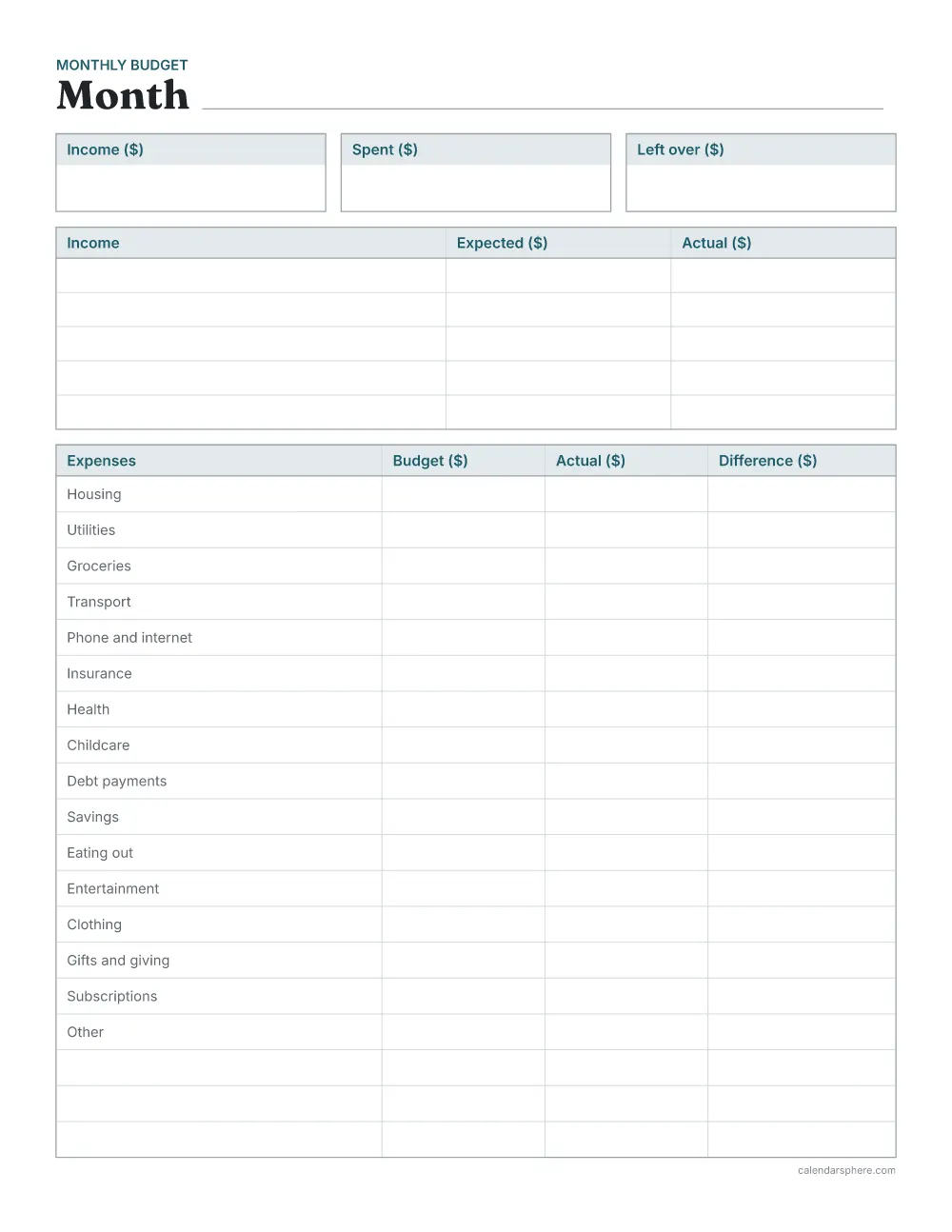
    This budget planner fits a month of money on one page: totals at the top, an income table, and 19 expense rows with budget, actual and difference. Choose your currency and start from common expenses or blank rows.

    • Free PDF, no sign-up
    • Budget, actual and difference
    • Dated or blank months
    Printable monthly budget planner with income and left-over totals, an income table and an expenses table with common categories

    Made on your device. Print at “Actual size” or 100%.

    1

    Dates

    Leave the dates blank and write them in, so the pages work for any month.

    Dates on the pages
    How many pages
    2

    Money

    Amounts are left blank for you to fill in.

    Currency

    Housing, groceries, transport and more. Cross out any you don’t need.

    3

    Colour

    Used for headings and box labels; lines stay light grey.

    Colour
    4

    Paper

    Letter is standard in the US and Canada; A4 nearly everywhere else.

    Or choose an insert size for a ring or disc-bound planner.

    Paper size
    Page direction

    Changed too much?

    Ready-made PDFs

    Popular versions, ready to print straight away.

    Each budget page at a glance

    Expense rows:
    19 on Letter, 22 on A4 (portrait)
    Income rows:
    5, for pay and any other money in
    Expenses written in for you:
    16, or none
    Currency:
    $, £, € and ₹ or none

    Rows on each page

    Rows are 22 points (about 7.8 mm) tall, room for an amount in handwriting.

    Budget planner rows by paper and direction
    Page Income rows Expense rows Notes lines
    Letter (8.5 × 11 in) portrait 5 19 —
    Letter (8.5 × 11 in) landscape 6 20 12
    A4 (210 × 297 mm) portrait 5 22 —
    A4 (210 × 297 mm) landscape 6 20 12

    How to print your budget planner

    1. 1Choose your optionsThe preview shows exactly what will print.
    2. 2Download the PDFIt is made on your device in a few seconds.
    3. 3Use matching paperPrint on Letter (8.5 × 11 in) or A4 (210 × 297 mm) paper, the size you chose.
    4. 4Print at actual sizeSet the scale to “Actual size” or 100%, not “Fit to page”.

    Every page keeps a 0.5 in (12.7 mm) margin on all sides, which home and office printers can reach, so nothing is cut off.

    More planners and paper

    Ready in a minute

    Make your own printable calendar

    Pick a style, add holidays and your own events, then download a free PDF.

    • Private by designYour designs never leave your device
    • Prints true to sizeExact US Letter and A4, with safe margins
    • Free PDFsNo sign-up, no account needed

    Frequently asked questions

    How do I fill in a monthly budget?

    At the start of the month, write your expected income and a budget for each expense. As the month goes on, write what you actually received and spent. The difference column shows where you were over or under, and the boxes at the top hold the month’s totals.

    Which expenses are written in?

    Housing, Utilities, Groceries, Transport, Phone and internet, Insurance, Health, Childcare, Debt payments, Savings, Eating out, Entertainment, Clothing, Gifts and giving, Subscriptions and Other. Cross out any you don’t need, or turn them off for blank rows.

    Can I print a whole year?

    Yes. Choose “Printed for me”, the first month and 12 months for one dated page per month.

    Does anything I write leave my device?

    Nothing is typed into this page: the amounts are written on paper. The sheet is drawn and turned into a PDF in your browser.

    What is the difference column for?

    Budget minus actual for each expense. A positive number means you spent less than planned; a negative one shows where the month went over, so you can adjust next month’s budget.